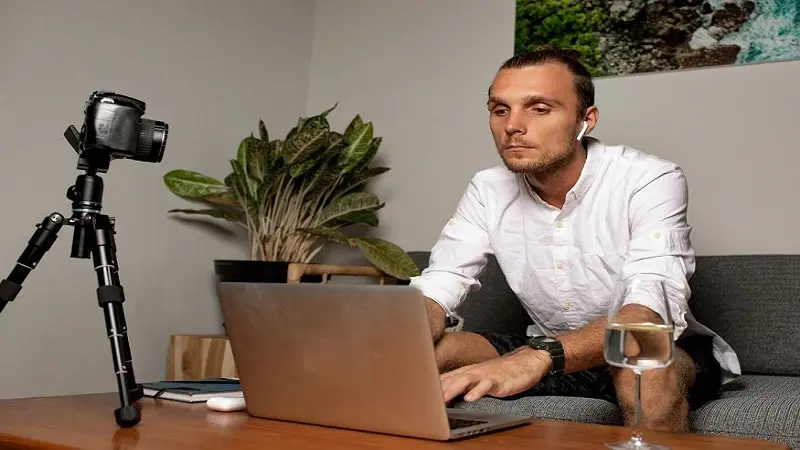
One-way video interviews are being used by all types of employers in today’s rapidly changing hiring landscape. The two-sided benefit they create is that employers can assess potential hires quickly and effectively, and at the same time give candidates the opportunity to respond when it is most convenient for them. Hiring platforms such as Hireflix offer employers the ability to collect high quality responses from their candidates through structured questions or prompts with much less burden than scheduling a live interview.
The Rise of One-Way Video Interviews
Traditional interviews are typically a challenge to schedule because they require scheduling many different people’s calendars, thus requiring time for both employers and applicants. However, one-way video interviews have solved this scheduling challenge by permitting applicants to respond to predetermined questions at their own convenience in order to provide recorded responses that an employer can review when it is most convenient for them.
As a result of the acceleration of remote work and digital hiring processes, there has been an increase in adoption of platforms such as Hireflix that assist with streamlining the hiring process through user-friendly interfaces and automation, which also saves employers’ valuable time and resources.
Key Tools Needed for a Successful Interview
To be successful with a one way video interview you will need the proper equipment and preparation. This includes:
- High Quality Camera and Mic: The most important thing on both ends of the call (camera/video and mic/audio) is how clear it all is. Most laptops have great cameras and mics, so using them may work fine; however, purchasing a good HD webcam and a quality microphone will make a huge difference on how you come across. Your visual presentation needs to be as clean as your audio so people can easily understand what you’re saying.
- A Reliable Internet Connection: Like anything else an unstable internet connection will ruin the flow of your responses. Beforehand, test your connection; use a wired connection if at all possible for extra stability.
- A Professional Background: There is nothing worse than a messy background. Make sure there’s no clutter, minimal background noise and use natural light (or soft artificial lighting).
- Hireflix or Platform Familiarity: Understanding the features and limitations of the platform used for the interview is essential. Hireflix offers features like multiple take options and automatic recording, which can be leveraged to deliver polished responses. Candidates should familiarize themselves with the platform’s interface before starting the interview.
Preparing Your Responses Strategically
One of the main differences between an in-person interview (or live video) and a one way video is the lack of immediate feedback. The candidate has to show their personality, clearly communicate and be professional all through their recorded response.
- Prepare By Reviewing Common Questions: Some companies will give candidates a list of sample questions or even some type of preview before they start. While preparing for common questions like “Tell me about yourself” or “Can you tell us about a time when…” this will help you prepare how to answer those types of questions in a concise manner.
- Practice Time Constraints: A lot of times there are time restrictions on how long the candidate can respond. It would be a good idea to practice giving short but informative responses to each question. Even recording yourself beforehand could help you find out where you could possibly shorten your answers.
- Follow the STAR Methodology: When responding to behavior-based questions, follow the Situation-Task-Action-Result format. This gives you a simple-to-use format so it’s easy to get your point across to the hiring manager regarding your experiences and what value you brought.
- Look into the camera & Use Your Body Language: Just because you’re looking at a screen does not mean you cannot make eye contact. Look into the camera to simulate talking to someone. Keep your back straight, and try to smile. Also keep your body language under control.
Optimizing the Technical Setup
Before you record, test each technical element so that there won’t be a disruption to how your audience views your performance.
- Lighting: Position your lighting directly in front of you, and never have it positioned behind you because backlit photography is very difficult to work with. Don’t position your lights too high. It should never produce a glow or create glare on your face.
- Sound Quality: If possible use headphones that include a built-in mic since most environments are noisy. Make sure to turn off all notifications on your devices. Try to make sure that you’re in a quiet space.
- Camera Angle: Position the camera directly at eye level. Stay away from being right next to the camera (too close) and stay away from positioning yourself to far from the camera. A well-positioned camera creates a sense of you naturally and professionally.
- Test Platform: Each platform will have a test recording feature, and most will have one. Check for the test feature on Hireflix to see how the video looks, hear how the audio sounds, and time how long it takes for you to respond to questions. The best thing about testing a new platform’s features before you go live is so you can become comfortable using their features and understand how they function.
Strategies for Effective Delivery
A well-delivered answer in a one-way video interview takes more than simply delivering a list of pre-written responses. It’s about how you deliver an answer that matters as much as what you’re saying.
Talk Clearly and Slow Down: Try to speak slowly enough that you give the interviewer time to follow. Pause between each thought and the next to improve their understanding.
Be Energetic and Be Yourself: Your enthusiasm and real interest will show through on the video. Smile naturally and be upbeat in all of your answers, whether they are questions with good news or bad.
Use Notes Judiciously: Using notes can be helpful; however, read them (not whole sentences) as prompts, so that you have a way to create a conversational exchange.
Take Advantage Of The Ability To Record Several Answers: Most platforms including Hireflix offer the ability to record several versions of your answer. Take advantage of this option to continue improving your delivery of the answer while avoiding looking “over-rehearsed”.
Common Mistakes to Avoid
Even though candidates have had the chance to prepare for their own one way video interviews some errors will occur which could impact their overall performance in the interview.
- Technical Issues: Not checking out the quality of the camera, microphone, internet etc. prior to recording could lead to poor quality videos that are seen as an indicator of unprofessionalism.
- Delivery: When delivering responses in a monotone voice it is possible that the interviewer may view them as being “out of touch” (disconnected). In addition to this, delivery should include natural intonation so that the interviewer remains focused on what you are saying.
- Background: The environment behind a candidate during a video interview will distract from what they are trying to convey. Therefore, keep a clean, clear and simple background.
- Time Management: Exceeding allotted times for each question can cut short responses and leave unanswered questions. Therefore, practice responding concisely and within the time frame allowed.
Leveraging Hireflix Features
Using Hireflix has several benefits, including easy-to-use functionality, as well as tools to help candidates with their job search and tools to help employers evaluate candidates.
- Ease of Candidate Use: Multiple attempts at answering questions allow candidates to refine their thinking and gain confidence in their answers.
- Candidate Ease of Time Management: Candidates are able to pace themselves by viewing time limits (e.g., through visual cueing) and responding before they reach those limits.
- Employer Review Tools: Employers have an ability to review all candidate responses easily and compare responses to one another; this encourages employers to focus on candidates’ knowledge and experience when evaluating responses, instead of being influenced by poor or unprofessional presentation.
Candidate Accessibility: Because Hireflix is accessible via both desktop and mobile devices, candidates can conduct video interviews from where they feel most comfortable.
Post-Interview Best Practices
To be able to enhance both the quality of the overall candidate experience and improve your performance in future employment interviews, there are many things you can do immediately after submitting a one-way video interview:
- Send Follow-up Emails: A simple “thank you” email that sends soon after you submit the video is evidence of being professional. Although it may take some time before an employer gets back to you, by sending this type of follow-up, you are showing interest.
- Review Yourself: Once you have reviewed your recorded interview, you will be able to see what aspects of your delivery (tone, diction/clarity, body language) need improvement. Allowing yourself to self-review allows for improved delivery on future interviews.
- Maintain Your Professional Online Presence: Many platforms used to record interviews (Hireflix, etc.) also work directly with applicant tracking systems. Make sure your resume, portfolio, LinkedIn profile, and all other online platforms reflect well-polished, updated information about who you are as a professional.
Conclusion
One-way video interviews have become an important part of how companies hire today. They allow both employers and candidates to be flexible, efficient and consistent. Companies such as Hireflix provide tools to make interviewing easier through simple use, giving you opportunity to record yourself and control when you submit your recording so you can give the employer the best version of you.
The success of a candidate in a one-way video interview goes beyond having good technical skills. To do well in a one-way video interview a candidate needs to be prepared strategically, communicate clearly and deliver confidently. Once you understand what tools are at your disposal, once you prepare your environment optimally and once you practice delivering responses effectively, you will be able to successfully go through the interview professionally. Mastering one-way video interviews is now mandatory for any candidate looking to stand out from others in today’s competitive job market. See more